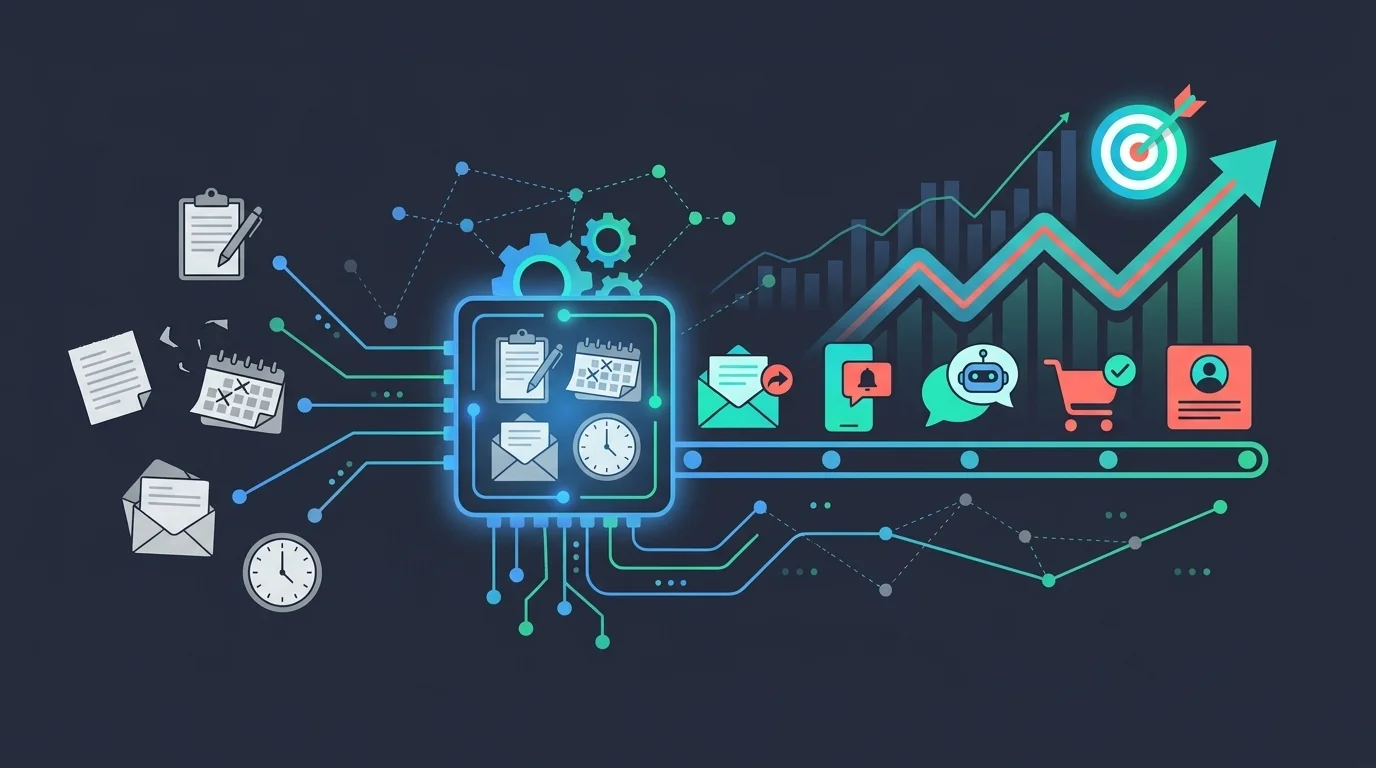
Most brands running email already have the data they need to run proper automation. The problem is that the data sits in five places at once and none of those places talk to each other, so campaigns run on a schedule instead of a signal.
TL;DR
- Behavior-triggered flows outperform broadcast sends because they respond to what the customer actually did, not when the calendar says to send.
- The trigger is only as good as the data behind it: a poor data layer produces automations that fire on incomplete customer pictures.
- Cart abandonment, welcome, and post-purchase flows have the highest immediate revenue impact for most e-commerce brands and should go live first.
- Branching logic is what separates a sequence from a single nudge: it stops irrelevant messages the moment the customer takes action.
- Measuring revenue per flow, not just open rate, is the only way to know whether an automation is earning its keep.
- RFM segmentation inputs into lifecycle flows so dormant, at-risk, and loyal customers each get a different message.
What Is Email Marketing Automation?
Email marketing automation is sending emails triggered by what a customer does, or by where they are in their lifecycle, instead of on a fixed broadcast schedule. A subscriber joins and a welcome sequence starts. A shopper leaves items in a cart and a recovery email follows within the hour. Ninety days pass with no order and a win-back flow opens. The email goes out on the customer’s signal, not the marketing calendar.
The mechanics are the same on every platform: an event (the trigger) meets a rule (the condition), and the automation sends, waits, or branches based on what the customer does next. The difference between a program that earns revenue and one that just runs is the quality of the data behind the trigger and the logic layered on top of it.
That is also why automation pays off. A welcome series reaches a subscriber at peak interest without anyone pressing send. A cart recovery flow catches high-intent shoppers at the exact moment they hesitate. A replenishment reminder lands when the product is about to run out. Each of these runs continuously, on every contact, at a scale no manual send schedule can match, and each responds to a real signal rather than a guess about timing.
Why Batch-and-Blast Stopped Working
Sending the same email to your entire list at a fixed time is not a strategy. It is what happens when the data is not connected to the action. The result is predictable: generic messages hit inboxes at the wrong moment for most recipients, engagement drops, and the list quietly degrades.
The shift that has changed B2C email marketing strategy is not a new channel or a new format. It is the move from calendar-driven sends to behavior-triggered journeys. When a customer adds a product to a cart and leaves, that is a signal. When they browse a category three times without buying, that is a signal, and batch sends ignore both.
The shift from calendar-driven sends to behavior-triggered journeys
Calendar sends are set by the marketing team’s schedule. Triggered sends are set by the customer’s behavior. The latter requires knowing what the customer did and connecting that event to an automation that responds within hours, not days.
What your data already knows that your campaigns ignore
Your e-commerce platform records every product view, every cart add, every completed purchase, every return. Your CRM stores purchase history and contact preferences. For omnichannel retailers, the POS holds in-store transactions that complete the customer picture, that data exists. The automation question is whether it feeds a single customer profile or stays siloed where it cannot drive a triggered send.
Litmus research on email ROI puts the average return for retail and e-commerce email at 45 to 1. That average includes brands running basic broadcast alongside brands running mature, behavior-triggered lifecycle programs. The gap between the two is the gap this article is about.
Start With the Data Layer
Every triggered email depends on a trigger, and the trigger depends on data. Before choosing which flows to build, the more important decision is which data sources feed your automation platform and how reliably they update.
What Triggers a Flow
A trigger is an event: cart abandoned, first purchase made, 90 days since last order, product category browsed. Each event requires a data source that captures it and passes it to the behavior-triggered automation layer in near-real time. If the data takes 24 hours to sync, the trigger fires after the customer has already moved on.
Unifying online behavior, purchase history, and offline data
For omnichannel retailers, connecting your e-commerce data with POS transactions is the prerequisite for any meaningful lifecycle automation. A customer who bought in-store last month should not receive a win-back email treating them as lapsed. Getting that right means the in-store transaction feeds the same customer profile as the website behavior.
“I think the data barriers are really intense. There’s nothing sexy about most of the data structure stuff, and but it’s absolutely essential.”
Chad S. White, Head of Research, Oracle Digital Experience Agency (Litmus)
Anonymous visitors and the identification moment
Most site traffic arrives anonymous. A visitor who browses three times before subscribing represents real purchase intent that most brands never capture. A smart pixel for behavioral tracking stores that anonymous behavior and connects it to the customer profile the moment they identify, so a browse-abandonment flow can reference the exact products they viewed before the subscription form appeared.
The Five Flows That Earn Their Keep
Not all automations deliver equal returns. These five are the baseline for any e-commerce brand with a working data layer. For deeper how-to on each flow, the proven e-commerce automation playbook covers them in operational detail.
Welcome series: converting curiosity into the first purchase
The welcome series runs from the moment a contact subscribes until they convert. Three to four emails over seven to ten days is a common structure. Email one sets expectations and delivers the promised value. Email two covers social proof or a bestseller introduction. Email three handles an objection or adds urgency. Email four, for non-buyers, makes a direct offer.
A fashion brand would personalize the welcome series by the category the subscriber browsed before signing up. Someone who visited the outerwear section gets a different email two than someone who arrived via a sale landing page.
Cart and browse abandonment: recovering revenue before it walks
Cart abandonment and browse abandonment are the highest-return flows for most brands because they catch high-intent behavior at its peak. The Baymard Institute puts the documented average cart abandonment rate near 70 percent, averaged across dozens of studies. That is the size of the recoverable audience these two flows exist to win back.
A consumables store with a short repurchase cycle might add a second reminder at 24 hours with a time-limited incentive. A fashion brand at a higher AOV might run a three-email sequence, skipping the discount until email three, after the shopper has had a chance to reconsider on their own.
The abandoned cart and post-purchase sequences available through e-commerce integrations let you pull the specific abandoned product into the email body, including image, name, and price, so the email reads as a natural continuation of the shopping session.
Post-purchase and cross-sell: growing LTV from the first order
The post-purchase window is the highest-trust moment in the customer relationship. A thank-you email with order confirmation is table stakes. What builds LTV is what follows: a cross-sell recommendation based on the purchased category, a how-to or care guide that reduces return rates, and a loyalty or review invitation at day seven.
A consumables store sends a replenishment reminder timed to the product’s average consumption cycle. That single automation, sent to the right segment at the right interval, drives repeat purchase without any manual campaign work.
Win-back: managing churn before it becomes permanent
Churn is slow and quiet for most e-commerce brands. A customer who bought eight months ago is not flagged anywhere; they are simply absent. Win-back flows catch customers before absence becomes permanent. Reactivating dormant customers works best when the message acknowledges the gap rather than ignoring it, and when the offer is specific to what they previously bought.
RFM-Based Lifecycle Flows: Who Gets What
RFM scoring sounds complicated. It is not. It is three numbers: recency, frequency, and monetary value. A customer who bought twice in the last 30 days and spent above your AOV median is a different audience than one who bought once, six months ago, at your lowest price point. RFM segmentation for e-commerce lets you route each group into a different flow rather than sending all re-engagement to one list.

How to Sequence a Flow
Building a flow is the easy part. Sequencing it so it responds to what the customer does next is what separates a working automation from a scheduled drip.
Trigger timing: how fast is fast enough?
For cart abandonment, the first send should go within one to two hours, and intent decays quickly. The second email goes at 24 hours with a different angle: social proof, a review, or a product detail the first email did not cover. A third at 72 hours can add a modest incentive if the brand’s margin supports it. Waiting longer than two hours on the first send loses a meaningful share of the recoverable audience.
Conditional Branches: Clicks, Buys, or Ignores
Branching logic is the mechanism that makes a sequence feel human. The rule is simple: if the customer buys, they exit the abandonment branch immediately. If they click but do not buy, they move to a different message than someone who ignored both previous emails. Every branch should reflect a real behavioral state, not just a time delay.
Where predictive timing fits
The sequencing so far is rule-based: you set the delays and the branches. Predictive send-time delivery adds a layer on top, choosing the exact hour to deliver each contact’s next email based on when that individual has opened before, rather than sending the whole segment at once. On a welcome email or a newsletter that feeds into a flow, that timing lift compounds across every send.
The same real-time behavioral data drives the rest of the personalization: dynamic segments that update themselves as customers act, and onsite behavioral triggers that fire the moment a visitor takes an action worth responding to. The automation decides what to send and when; the behavioral layer sharpens both to the individual instead of the segment.
When to Layer SMS or WhatsApp
Email carries the structured messages: the full product card, the detailed cross-sell, the receipt. SMS as a recovery channel works as a second touch, not a first, for high-intent abandons where a short, direct message adds incremental reach. WhatsApp suits markets where it is the primary messaging channel and the customer has opted in explicitly. The sequencing rule: lead with email, layer SMS or WhatsApp only where the customer has shown the channel preference and where the message is short enough to fit the format.
Segmentation Cuts That Change Flow Performance
Segmentation is not a setup step. It is an ongoing input that determines which customers enter which flow and what message they see inside it.
Behavioral Segmentation: What They Did
Demographic segments (age, location, gender) are a starting point for personalization. Behavioral segments are where advanced email segmentation drives measurable lift. A customer who viewed a product page four times in seven days is a different audience than one who browsed once and left. The former gets a direct recovery message; the latter stays in a browse-abandonment nurture.
Purchase history as a segmentation signal
First-time buyers need a different path than returning customers. A returning buyer who has purchased three times does not need a welcome-to-the-brand email. They need a loyalty acknowledgment or a VIP offer. Purchase history also sets the baseline for replenishment timing and cross-sell relevance.
Suppression lists: who not to send to and when
Suppression prevents automations from working against each other. A customer in an active post-purchase flow should not also receive a win-back email treating them as lapsed. A customer who purchased within the last 48 hours should be suppressed from the cart abandonment branch. Suppression logic belongs in every flow definition, not as an afterthought.
Measuring Automation: Metrics That Actually Matter
Open rates are a proxy. They are inflated by bots and by Apple Mail Privacy Protection, which pre-loads tracking pixels regardless of whether a human opened the email. Measuring automation by open rate tells you very little about whether it is generating revenue.
Revenue per flow, not just open rate
Revenue per email sent and revenue per flow are the metrics that connect automation performance to business outcomes. A win-back flow that sends to a segment of 5,000 lapsed customers and generates a measurable lift in recovered revenue is worth measuring precisely. Litmus data across its State of Email reports shows that a meaningful share of companies already see email ROI above 36 to 1, with lifecycle automation programs typically outperforming broadcast. The gap between broadcast and triggered is where the measurement argument lives.
Conversion rate and AOV by automation type
Conversion rate means different things for different flows. A win-back flow at a lower conversion rate than a post-purchase cross-sell is not underperforming: the audience is harder to reach, the AOV may be lower, and even a small recovery rate on a lapsed segment is profitable. Benchmarks only make sense within the same flow type.
Testing a flow, not just a campaign
Most teams A/B test a single broadcast subject line and stop there. Automations are where testing compounds, because every improvement runs on every future contact who enters the flow. Test one variable at a time: the subject line on the first cart email, the delay before the second send, whether email three carries a discount or holds it back, the order of the welcome sequence. A two-point lift on the first abandonment email is not a one-time gain; it recovers incremental revenue on every cart from then on. Let each test run until the sample is large enough to trust, then lock the winner and move to the next variable.
List health metrics that predict deliverability
Unsubscribe rate per flow is an early warning. A spike in unsubscribes from a specific automation usually means the message does not match the audience definition, or the timing is wrong. Track bounce rates and complaint rates at the flow level, not just at the account level. Deliverability problems are cheaper to catch early than to repair after a domain reputation drop.
According to Litmus research on lifecycle marketing, 36% of marketers cite creating more automated emails as a top priority for the next 12 months. The intent is there. The gap is having the data layer and segmentation logic to make those automations actually work.
Three Mistakes That Kill Automation Performance
Getting the flows live is the start. The mistakes that degrade performance happen after launch.
Treating automation as set-and-forget
Automations break silently. A product feed drifts and the cross-sell email starts recommending out-of-stock items. A trigger fires on a data field that no longer syncs reliably. A welcome email references a promotion that expired six months ago. Every flow needs a quarterly review: check the trigger logic, check the product feeds, check the suppression lists.
Sending the same content to every segment
Personalization without segmentation is just variable names in a template. An automation needs an audience definition before it needs a subject line. A fashion brand running a post-purchase cross-sell to buyers of a 200-euro jacket needs different product recommendations than the same brand sending to buyers of a 30-euro accessory. Same flow structure, different segment, different content.
Building flows before the data layer is ready
Launching an abandoned cart flow before your e-commerce platform syncs reliably to your automation tool means the trigger fires on incomplete or stale data. Some customers get emails for carts they already converted. Others get no email because the cart event never arrived. Fix the data connection first; the flow is quick to build once the signal is clean.
What to Build First: A Sequenced Roadmap
The order matters. Build in sequence by revenue impact and data readiness, not by complexity.
Month 1: welcome series and cart abandonment
No lifecycle marketing for online stores should run without these two. The welcome series captures new subscribers at peak interest. Cart abandonment recovers the highest-intent non-converts. Both flows are structurally simple and can go live within a week of connecting your e-commerce integration.
Month 2: post-purchase, cross-sell, and browse abandonment
Post-purchase flows run off confirmed order data, which is the cleanest signal in your stack. Cross-sell logic requires a product catalog sync but the sequencing is straightforward. Browse abandonment needs the behavioral tracking layer (the smart pixel or equivalent) to be stable before launch.
Month 3: Win-Back, RFM, and Multichannel
Win-back and RFM lifecycle flows require a longer purchase history to segment meaningfully. A new store with six months of data can start win-back, but the segments will be small. An omnichannel retailer adding automated SMS sequences alongside their email program needs a unified customer profile that holds both channel preferences and online-offline purchase history. That is a Month 3 project, not a Month 1 one.
What to Look For in an Automation Platform
The flows above only work if the platform underneath them can support the triggers, the branching, and the measurement. Five things separate a tool that can run this from one that cannot:
- Data integrations that sync in near-real time. The trigger is only as fast as the slowest connection feeding it. E-commerce, CRM, and offline sources need to update in minutes, not overnight.
- A visual journey builder with real conditional logic. Branching on what the customer does next, and exiting them the moment they convert, is what separates a flow from a drip.
- Multichannel in one workflow. Email, SMS, and WhatsApp running off the same customer profile, so a purchase suppresses the follow-up on every channel at once.
- Revenue-level reporting. Revenue per flow and per email, not just opens and clicks, so you can tell which automation is earning its keep.
- Deliverability controls. Authentication, list-health signals, and suppression logic built in, because the best flow is worthless in the spam folder.
How ActiveTrail Runs This
The visual customer-journey builder in ActiveTrail maps directly to the sequencing logic this article describes: you define the trigger event (cart abandoned, first purchase, 90 days since last order), set the timing delays, add conditional branches that exit customers the moment they convert, and layer channels in the same workflow. Email, SMS, and WhatsApp run off the same customer profile so a customer who buys after the first email is suppressed from the SMS follow-up automatically.
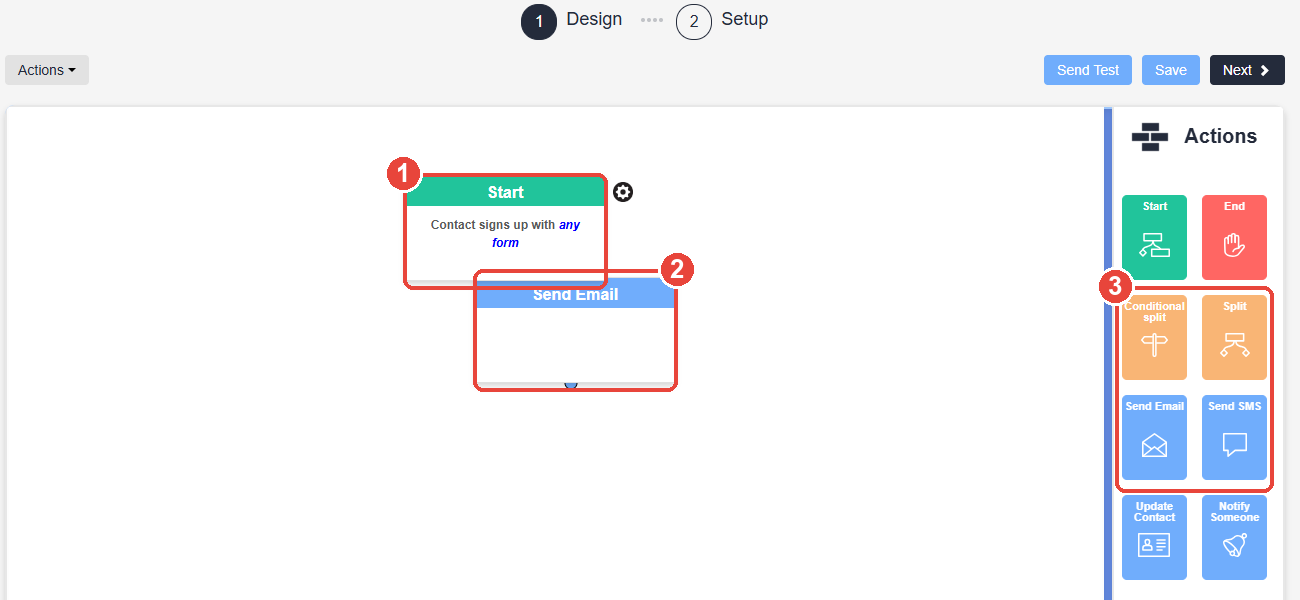
The e-commerce integrations handle the data connection for Shopify, Magento, WooCommerce, and PrestaShop, pulling real-time cart, order, and product-catalog data so the trigger quality is high from day one. For omnichannel retailers, the online-offline data unification merges POS purchase history into the same profile as web behavior, which is what makes RFM segmentation and in-store-triggered flows possible without a custom data engineering project.
If you want to see how the sequence builder works in practice, you can start a free trial and build the first flow directly against your live store data.
Frequently Asked Questions
What is email marketing automation?
Email marketing automation is the practice of sending emails triggered by customer behavior or lifecycle events rather than on a fixed broadcast schedule. A customer adding a product to a cart triggers an abandonment sequence; a first purchase triggers a post-purchase flow. The emails go out automatically based on what the customer did, not when the team scheduled a send.
Which email automation flows should I build first?
Start with the welcome series and cart abandonment flow. These two have the highest immediate return for most e-commerce brands and require the least complex data setup. Add post-purchase and cross-sell flows in month two, then win-back and RFM-based lifecycle flows once you have enough purchase history to segment meaningfully.
How do I measure the ROI of email marketing automation?
Measure revenue per email sent and revenue per flow, not open rates. Open rates are inflated by bots and by Apple Mail Privacy Protection. Track each flow separately: a win-back flow at a lower conversion rate than a post-purchase flow is not underperforming if the lapsed-customer segment has lower intent by definition. Unsubscribe rate per flow is the early warning for audience-message mismatch.
What is the difference between a drip campaign and a behavior-triggered flow?
A drip campaign sends a pre-set sequence of emails on a fixed schedule after a single trigger, usually a sign-up. A behavior-triggered flow branches based on what the customer does inside the sequence: if they buy, they exit; if they click but do not buy, they move to a different message than if they ignored the email entirely. Branching logic is what makes a flow responsive rather than just scheduled.
How does email automation integrate with Shopify or WooCommerce?
A native e-commerce integration syncs real-time cart, order, and product-catalog data from Shopify or WooCommerce into the automation platform. That sync is what powers cart abandonment triggers, post-purchase sequences, and product-specific cross-sell recommendations. The quality of the trigger depends on how reliably that sync runs: check that events arrive within minutes, not hours.
When should I add SMS or WhatsApp to an email automation flow?
Add SMS or WhatsApp as a second touch, not a first. Lead with email for the full message, then layer an SMS or WhatsApp follow-up for high-intent abandons or time-sensitive recovery. Only add these channels where the customer has opted in and where the message is short enough to fit the format. Do not replicate the email content in SMS; use it to add a direct, short nudge.
How does predictive send-time delivery improve email automation?
Predictive delivery works on top of the automation, not instead of it. The flow logic still defines what sends and when; the predictive layer sharpens the timing. It picks the best hour to reach each individual based on when they have opened before, so the same email earns more attention without changing a word of the content. Combined with dynamic segments that update as customers act and real-time behavioral triggers, the effect is automation tuned to the individual rather than the whole list.
What is RFM segmentation and how does it connect to email automation?
RFM stands for recency, frequency, and monetary value. It scores each customer on how recently they bought, how often, and how much they spent. Those scores define segments: loyal VIPs, at-risk customers, lapsed buyers, one-time purchasers. Each segment enters a different automated flow with a message calibrated to their relationship with the brand, rather than every re-engagement email going to one undifferentiated list.
How do I prevent my automation flows from conflicting with each other?
Use suppression logic in every flow definition. A customer in an active post-purchase sequence should be suppressed from win-back flows that treat them as lapsed. A customer who bought within 48 hours should exit any cart abandonment branch immediately. Review suppression rules whenever you add a new flow, because the risk of sending contradictory messages grows with the number of active automations.